
【版本更新】星火新增调拨单打印功能

2022-02-22

一、功能介绍

若您有多仓库管理 ,需要进行货品调拨,星火的调拨功能可以满足您的需求,现在,调拨单也支持打印了,更加完善了仓库之间的调拨流程,若有货品签收等需求,打印调拨单是极好的。

二、操作路径

1.设置打印模板:操作路径【设置】-【打印设置】-【库存】-【调拨单】,默认模板为A4,也可以选择一等分或二等分/三等分等模板打印,
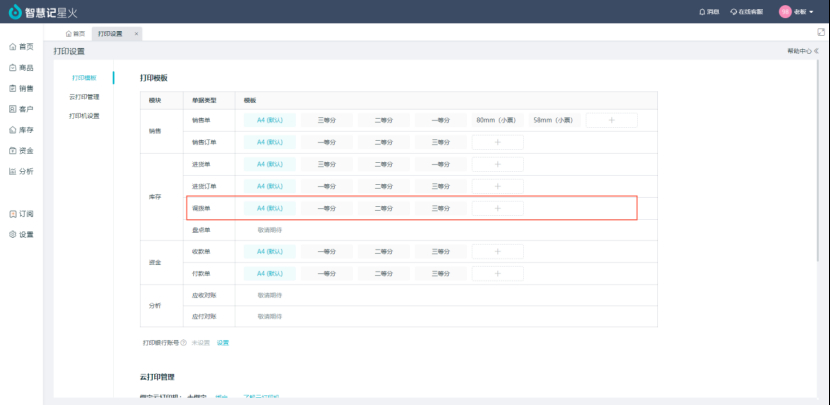
点击模板名称,可以进入详细设置,以A4模板为例
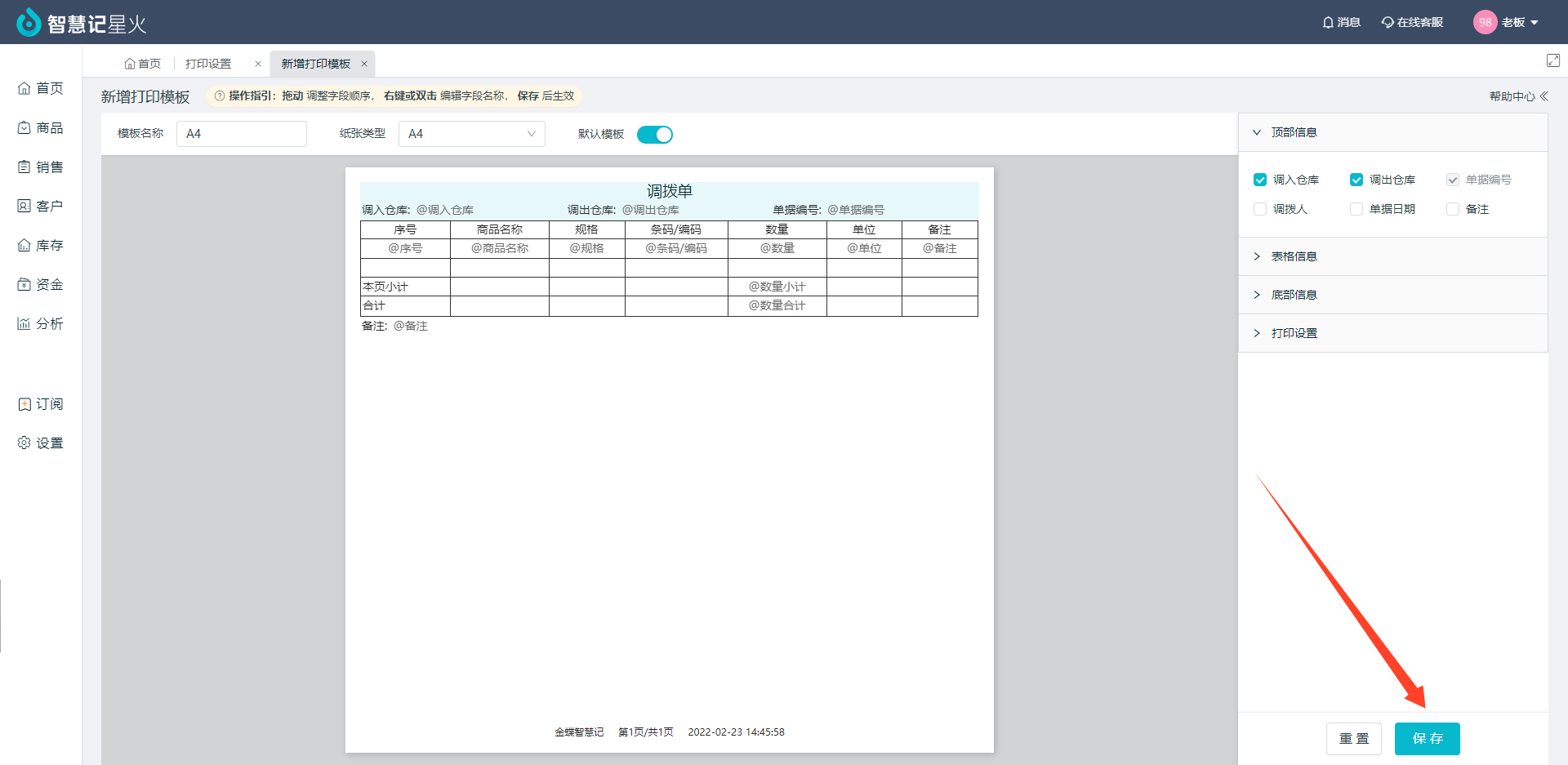
可以通过“拖动” 调整各表格的顺序, 点击右键或双击 编辑表头名称, 点击右下角【保存】,即可生效

2. 启动打印

注意,需要提前安装web云打印服务:详见https://zhihuiji.cn/help-zhj-space/manual/1670-1001

开调拨单后,点击进入对应单据,点击右上角【打印】
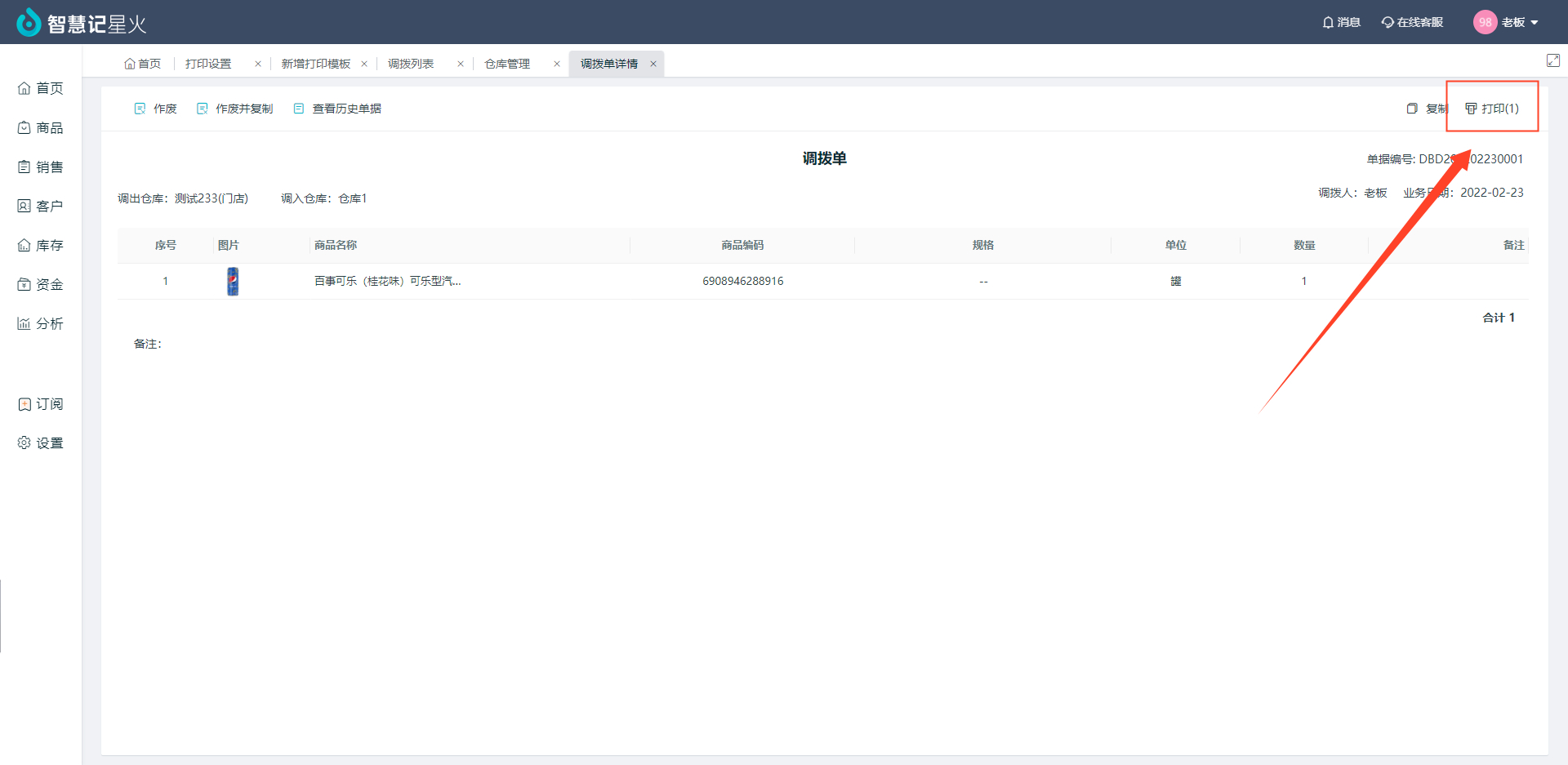
至此,就完成了一次单据打印。

若您有异地打印调拨单的需求,还可以通过“云打印”功能实现,点击查看

其他优化:销售开单页面优化,一页显示更多行,开单方便更清晰

Related reading recommendations

item

demo

Read the full article
item

How Small Businesses Can Use Ailit for Inventory Management?How Small Businesses Can Use Ailit for Inventory Management?

Read the full article
item

How Small Businesses Can Use Ailit for Inventory Management?

Read the full article
Dedicated online consultant
Contact us anytime if you encounter any problems.
whatsapp:
+86-15118154473
Working days: 9:00- 18:00
(UTC+8 Beijing Time)
WeChat online customer service
Need to send an image/text? Contact our support.
400-830-8060
Working days: 9:00- 18:00
(UTC+8 Beijing Time)