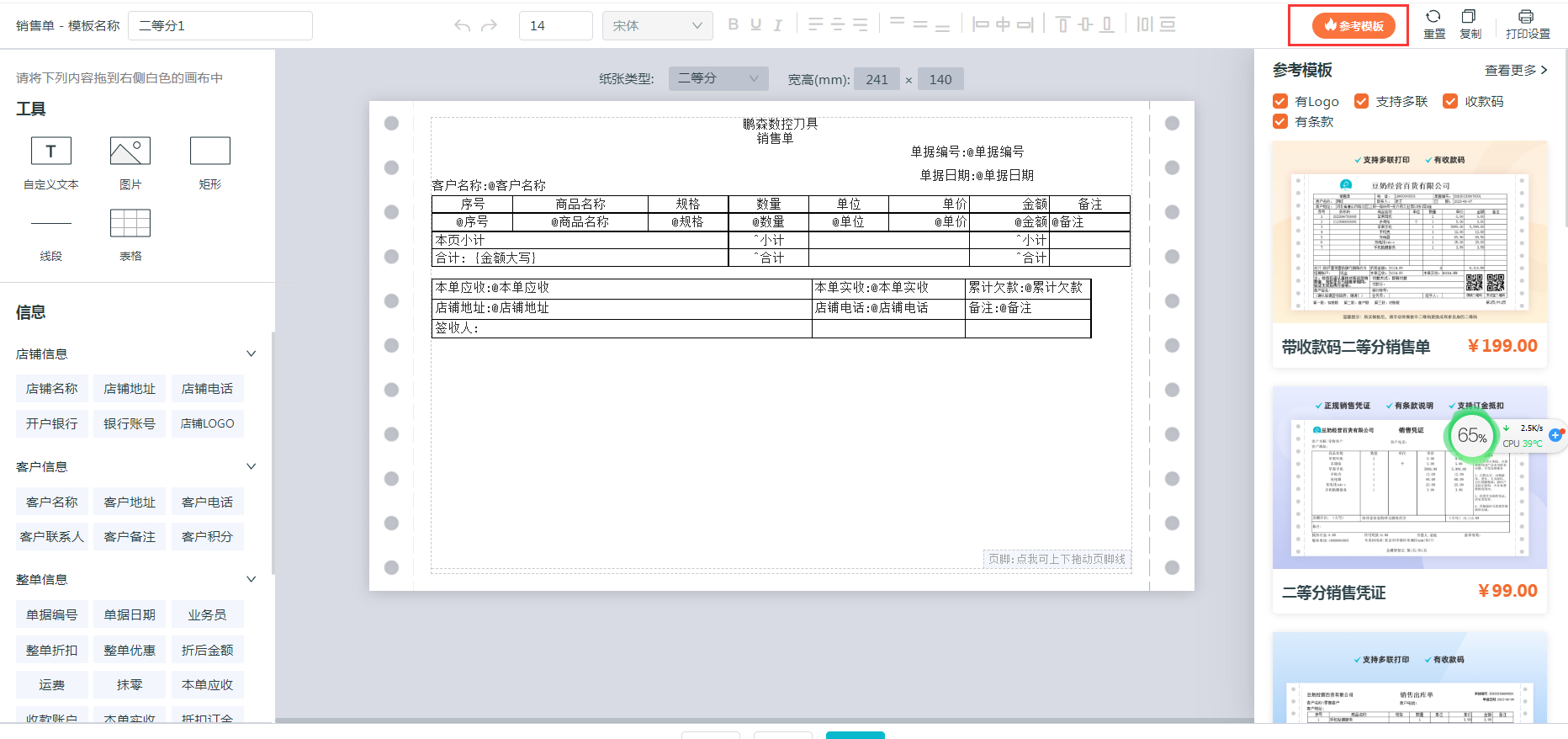
【版本更新】星火电脑V2.8.1版本发布,增加了打印模板商城。

2023-06-16

本次版本更新内容一览:

【新增】打印模板商城

【优化】销售订单名称改为销售预订

【优化】进货单导入提示优化

【优化】商品导入,换算率为0处理

【优化】库存流水导出优化

【优化】销售单分享文案优化

打印模板商城教程

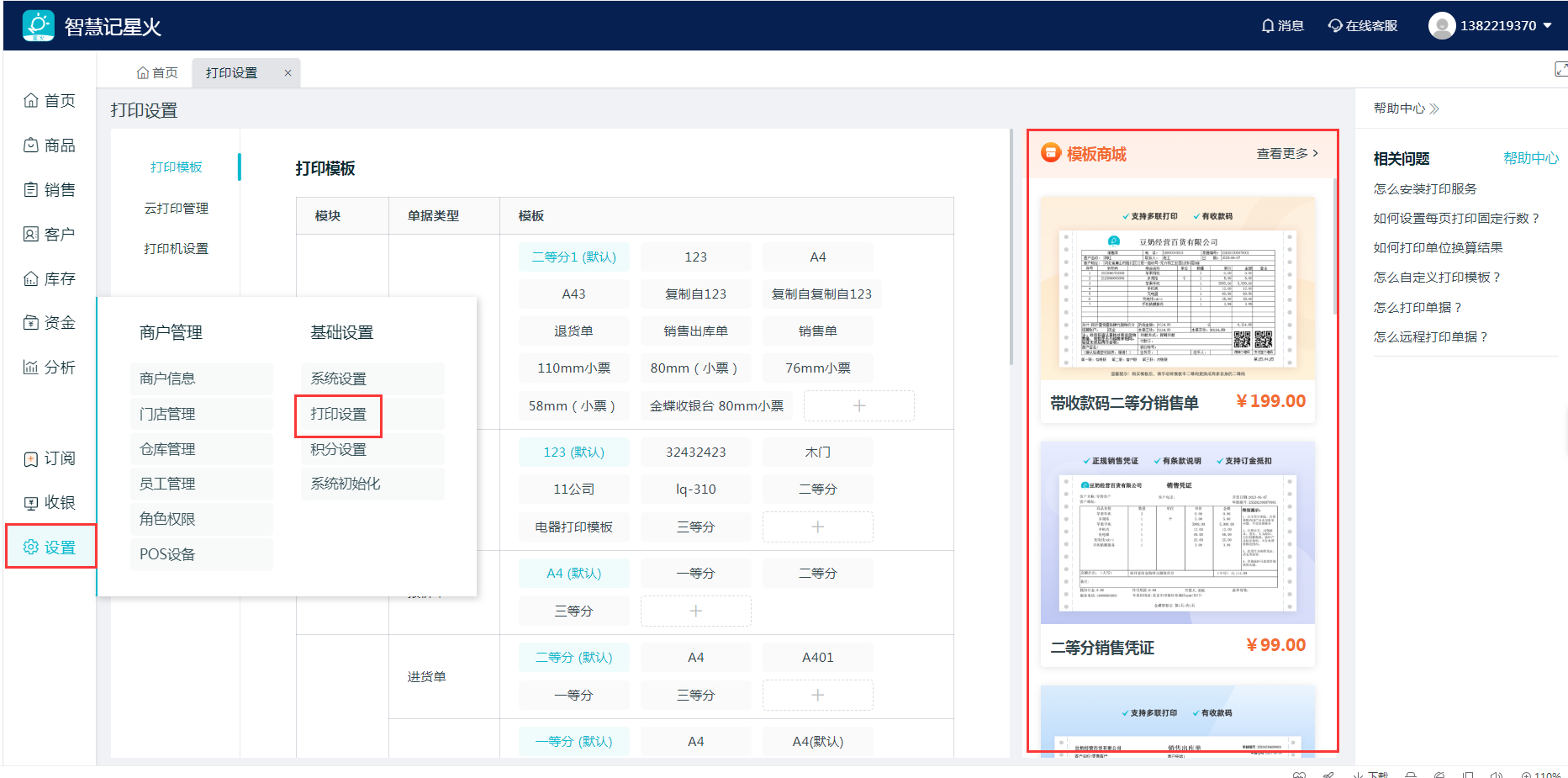
1.打开路径

路径1:设置-打印设置-模板商城。

路径2:设置-打印设置-编辑模板。

(1)右侧增加10个模板,支持滚动;

(2)点击右上角【查看更多】进入模板商城;

(3)模板显示小图样式,名称和价格。
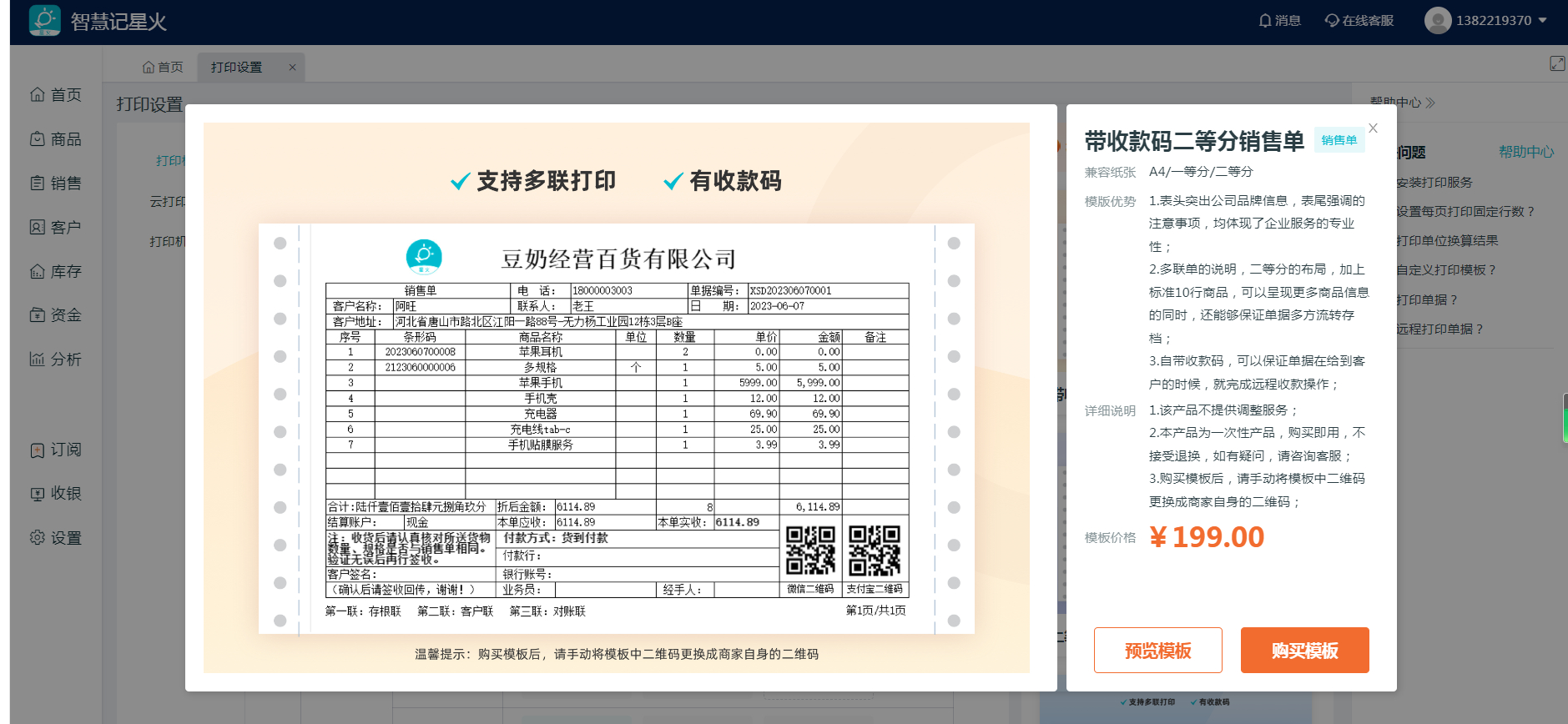
2.单击模板会显示模板详情

(1)详情有模板纸张、优势、说明、价格等信息;

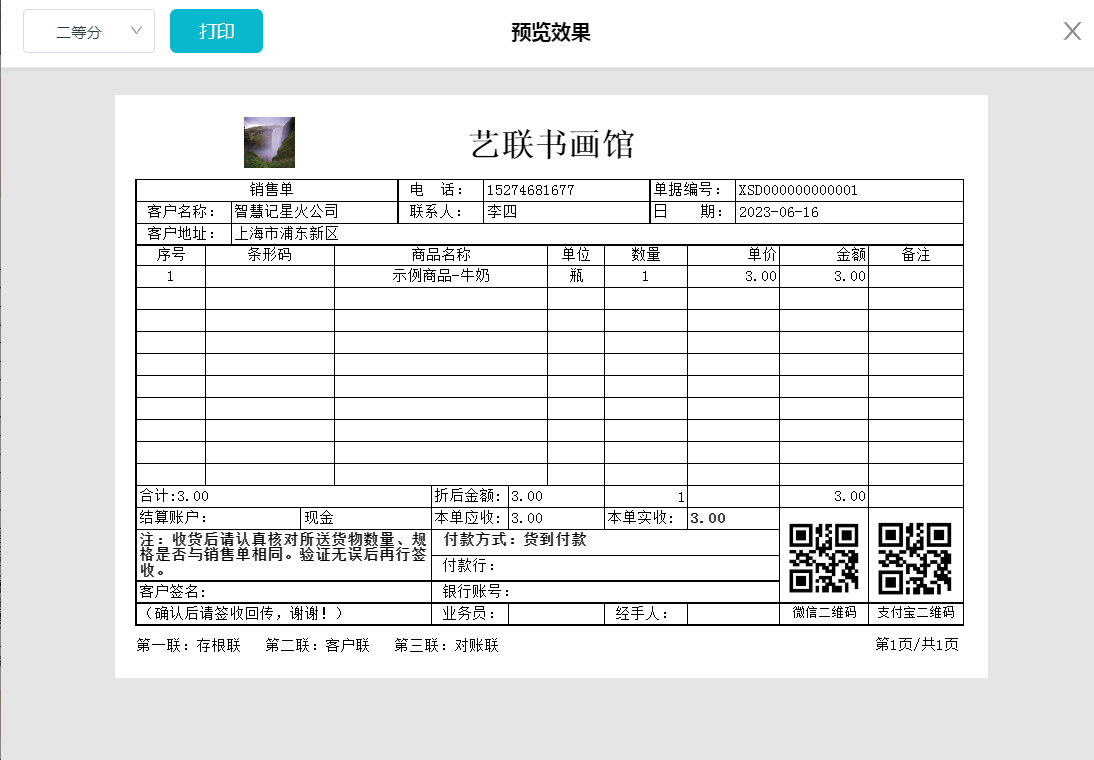
(2)点击预览可以弹出预览效果,预览界面会显示商户的真实信息,支持打印;

(3)点击购买模板,跳转到官网进入购买流程。
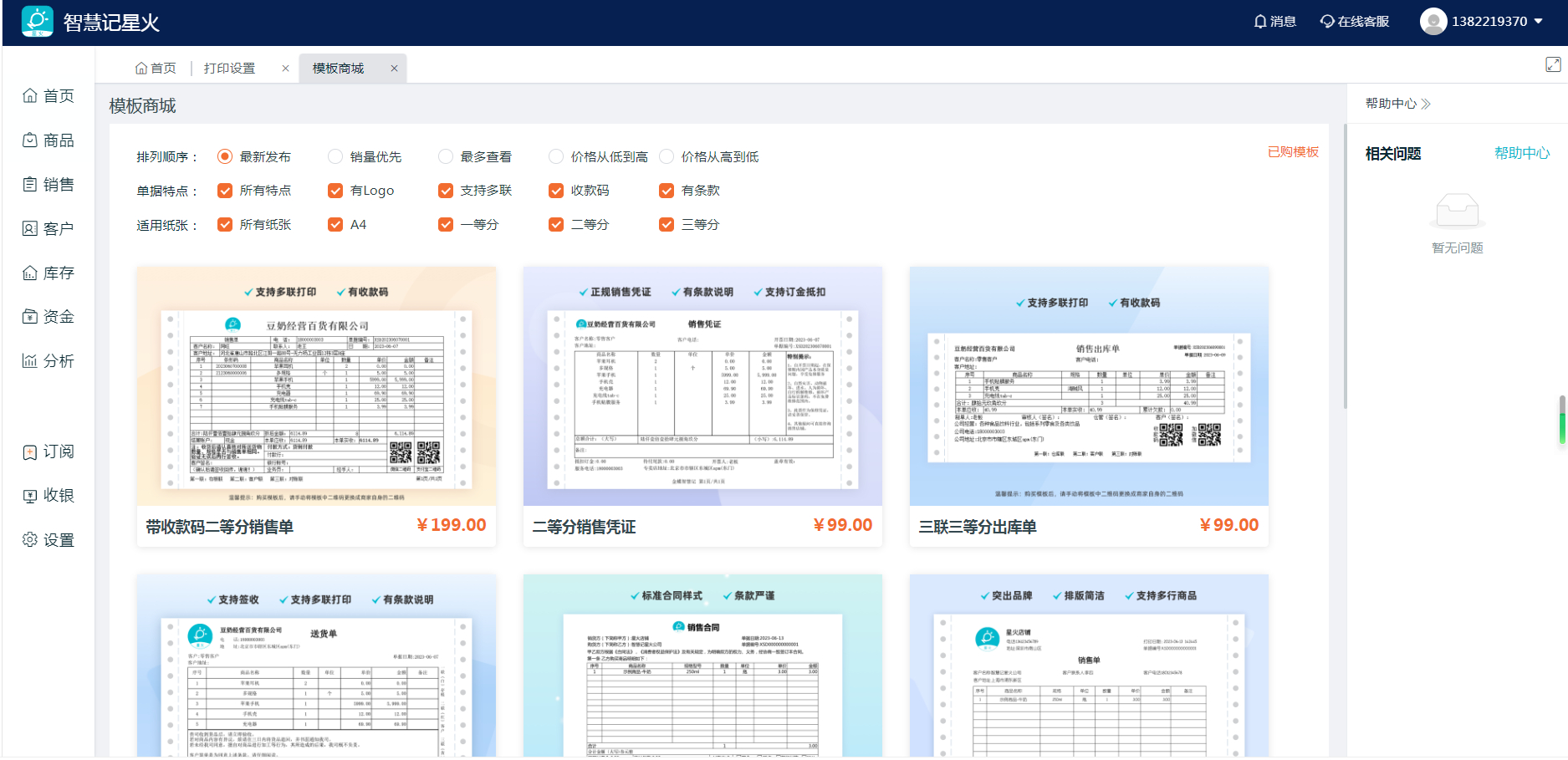
3.模板商城

(1)顶部显示筛选,默认按最新发布时间排序。

(2)单据特点目前有显示logo、支持多联、收款码、有条款4个,默认全部勾选,勾选则显示。

(3)纸张类型默认显示全部纸张,默认全部勾选。
Related reading recommendations

item

demo

Read the full article
item

How Small Businesses Can Use Ailit for Inventory Management?How Small Businesses Can Use Ailit for Inventory Management?

Read the full article
item

How Small Businesses Can Use Ailit for Inventory Management?

Read the full article
Dedicated online consultant
Contact us anytime if you encounter any problems.
whatsapp:
+86-15118154473
Working days: 9:00- 18:00
(UTC+8 Beijing Time)
WeChat online customer service
Need to send an image/text? Contact our support.
400-830-8060
Working days: 9:00- 18:00
(UTC+8 Beijing Time)